
- Training
- Service
- Promotion
- Schedule
- Testing Center
- News
- Contact
1/17/2024


Whether you're dealing with messy spreadsheets or CSV files, the process of cleaning up data can be daunting.
Fortunately, Excel provides powerful tools like Power Query to streamline this task. In this guide, we'll walk you through the process of data cleanup using Excel, focusing on the invaluable Power Query feature.
5-Power-Query-Examples-BEGIN.xlsx Download
5-Power-Query-Examples-FINAL.xlsx Download
5 Power Query Examples – CSV Files.zip Download
Before diving into the details, let's understand why data cleanup is essential.
Messy data can lead to inaccuracies, hinder analysis, and make it challenging to derive meaningful insights. Whether you're working with task lists, sales data, or any other dataset, a clean and organized structure is the foundation for effective data analysis.
One of Excel's hidden gems for data cleanup is Power Query. In the provided example, we have a daily task list in CSV format that needs refinement. Here's a step-by-step guide:
Begin by navigating to the “Data” tab and selecting “From Text/CSV.”
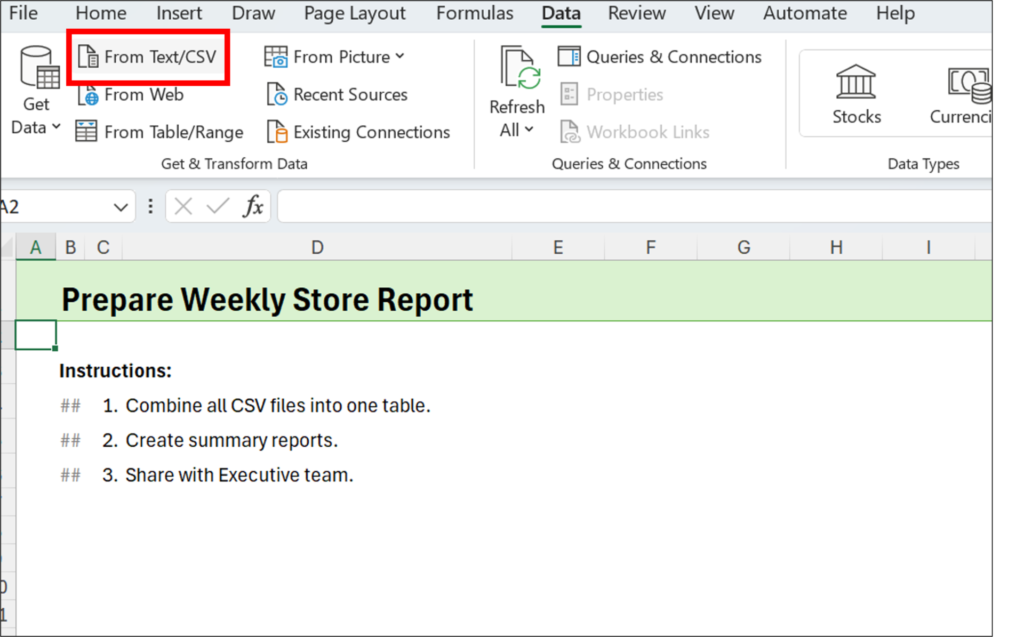
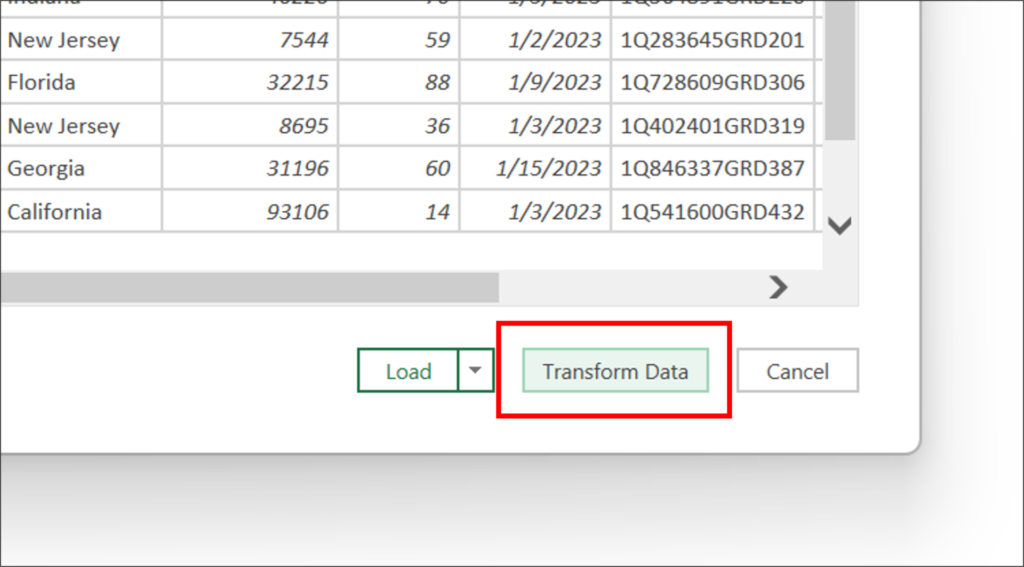
Locate your file and hit “Import.” Once imported, click “Transform Data” to open the Power Query editor.
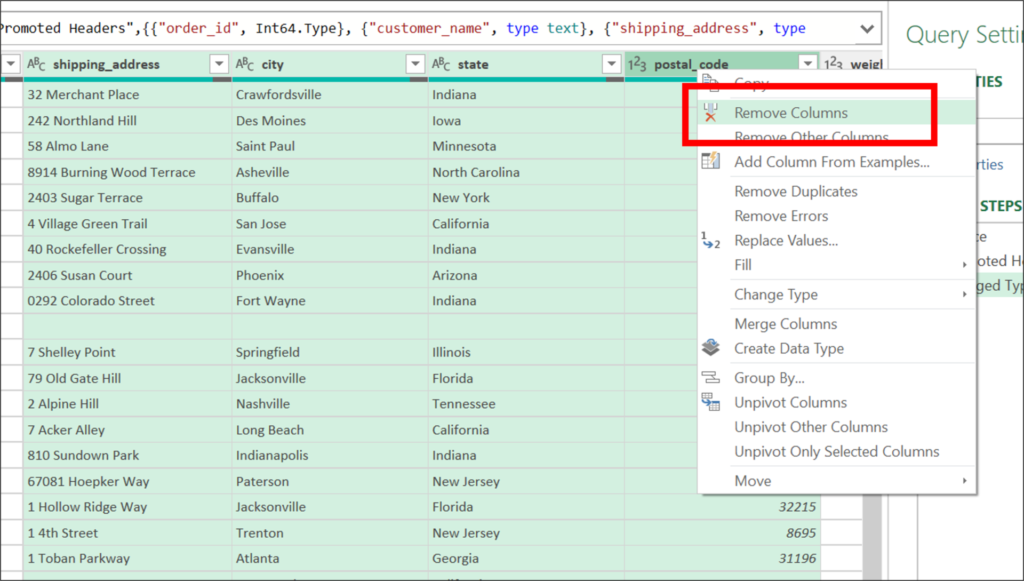
Identify columns that are surplus to your requirements. In this example, the shipping address information is unnecessary. Select the relevant columns, right-click, and choose “Remove Columns.”
Cleanse your dataset further by removing any blank rows. A clutter-free dataset ensures accurate analysis and visualization.
Organize your data according to your needs. In our example, the boss wants the data sorted by customer name. Utilize the sorting options in the Power Query editor to achieve this.
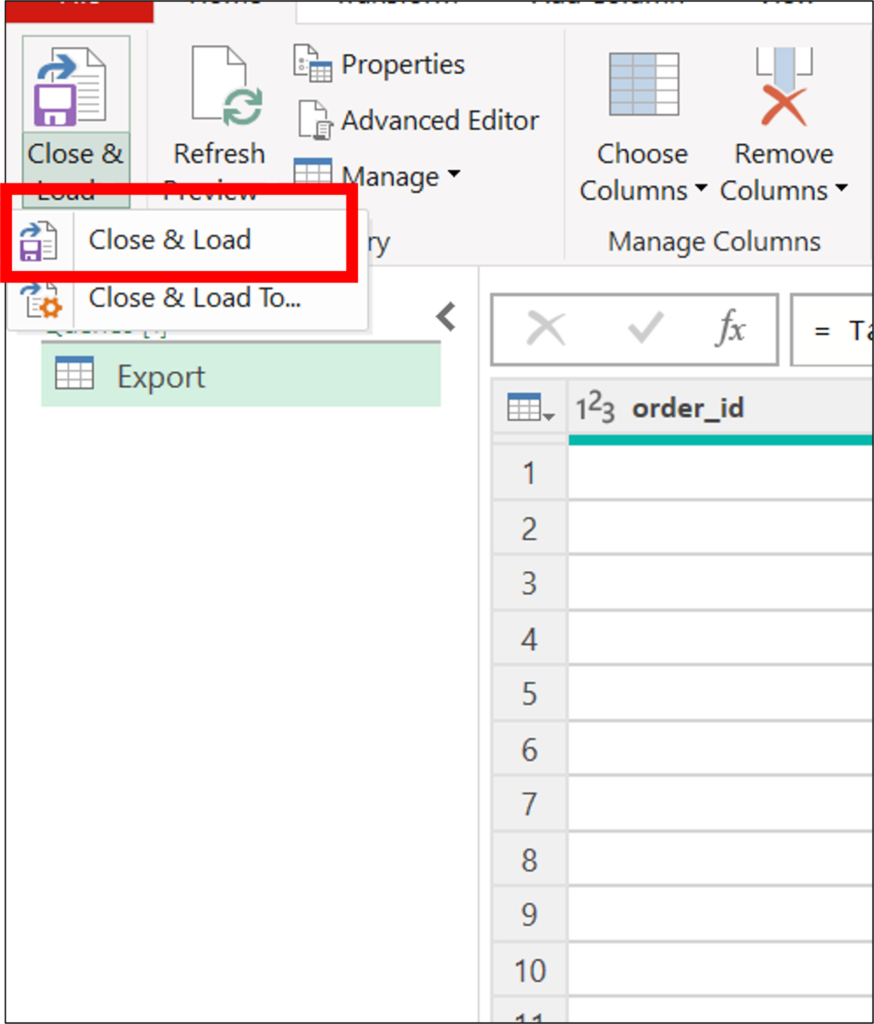
Once your data is refined, close the Power Query editor and load the results into a new sheet in the workbook. This ensures a neat and organized presentation of your cleaned-up data.
One of the standout features of Power Query is its ability to automate the cleanup process.
Simply refreshing the query reruns all the defined steps, making it a breeze to update your data regularly.
This is particularly handy for tasks like daily updates or handling dynamic datasets.
Source: excelcampus.com

12/11/2025


